Open-source products for
AI agents and automation
Multi-tenant AI bot platform and desktop event-driven agent. Logic in YAML, LLM integration, self-hosted — full control over data and infrastructure.
Products
Open-source projects under the MIT license. Self-hosted with documentation and source code available on GitHub.
Coreness
Multi-tenant platform for production-ready AI agents and chatbots. One instance — many isolated bots, full documentation, deployment in minutes.
- • Declarative logic in YAML — complex scenarios without code; data isolation via RLS
- • LLM and RAG: OpenAI, Anthropic, Google, DeepSeek; pgvector; scheduled broadcasts and reports
- • Plugin architecture, background jobs, ready-made Master Bot for management via Telegram
Coreness Flow
Desktop agent that reacts to events: chat, webhook, cron. YAML scenarios, plugins for UI extension (VS Code–style contributes), LLM and RAG fully local.
- • Event-driven architecture: triggers → scenarios → plugins; async actions without blocking
- • Plugins define tabs, sidebar, settings via contributes; BGE-M3 + Qdrant embedded
- • Electron + React, Python backend; single user, all data under your control
Examples
Configuration and demo.
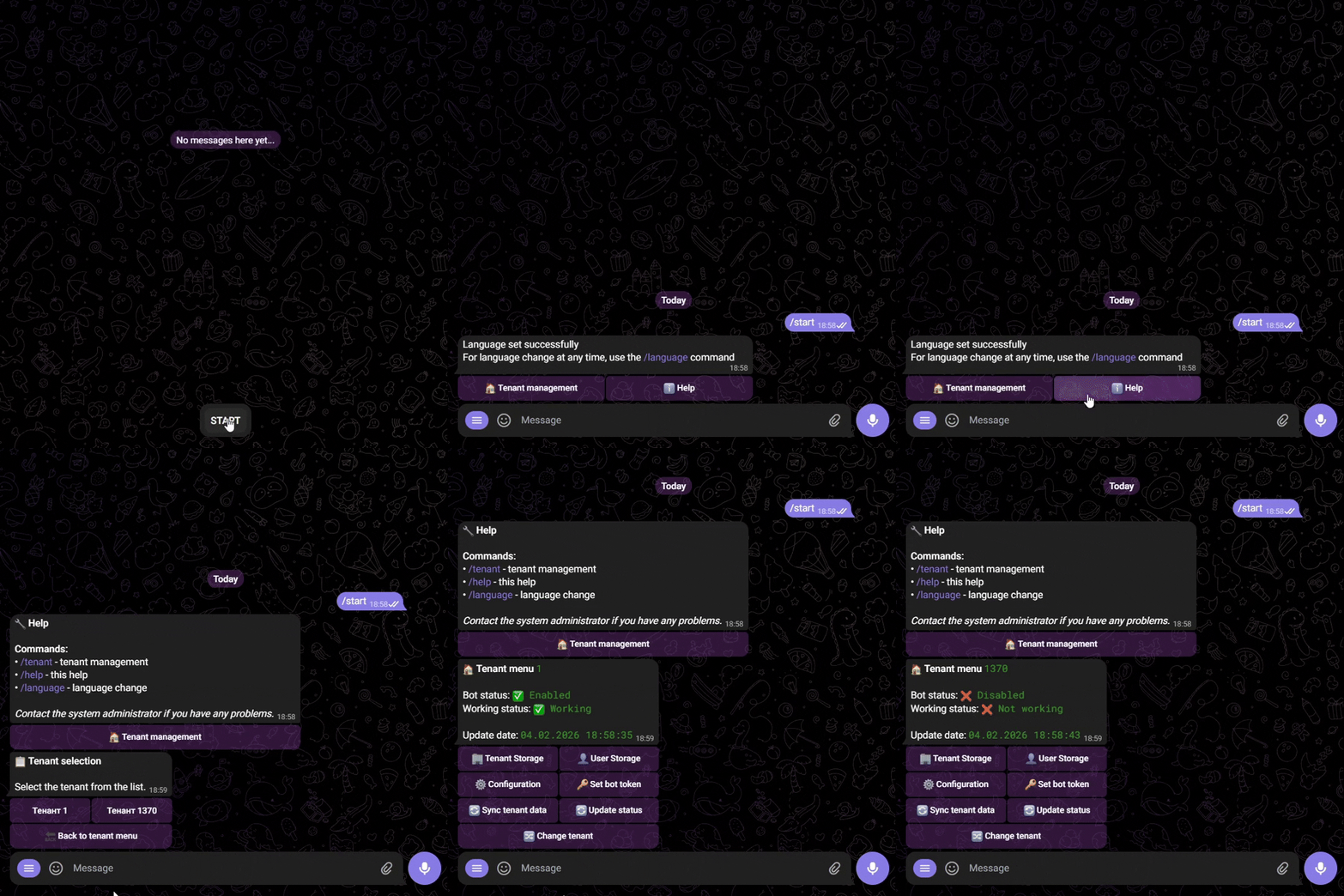
Coreness — Master Bot
Ready-to-use bot for platform management via Telegram. Sample commands and config:
start:
  description: "Start Master Bot"

  trigger:
    - event_type: "message"
      event_text: "/start"
    - event_type: "callback"
      callback_data: "start"

  step:
    - action: "execute_scenario"
      params:
        scenario: "default_check"

    - action: "send_message"
      params:
        text: |
          {_cache.translation.start}
inline: "{_cache.translation.start_inline}"i18n:
available_languages:
- en
- ru
default_language: en
environments:
available:
- test
- prod
default: prod
deployment:
available_modes:
- docker
- native
default: dockerMaster Bot in action
Coreness Flow
App launch, main chat, and working with dialogs. More in the repository.
Splash intro: launch and main chat

Chat: history and new dialogs

Quick Start
Simple setup
Coreness
# Clone the repository
git clone https://github.com/Vensus137/Coreness.git
cd Coreness

# Run Core Manager
python tools/core_manager/core_manager.py

# Choose environment and mode — utility sets everything upCoreness Flow
# Clone the repository
git clone https://github.com/Vensus137/Coreness-Flow.git
cd Coreness-Flow

# Install and run with hot reload
pip install -r requirements.txt
cd frontend && npm install && cd ..
.\scripts\run-dev.ps1
Or download the installer from Releases on GitHub.
Contact the Developer
Coreness and Coreness Flow are open-source under the MIT license.
Open for consulting and proposals:
- • Consulting on adoption and architecture
- • Collaboration and joint projects
- • Questions on development and deployment
- • Discussing ideas and open-source contributions